See every pressure wave before your pipeline does.
SurgeSpace is a water hammer and network analysis workspace. Draw the system — or hand the AI your drawings, long sections and data sheets — then trip the pumps, close the valves and watch the waves travel through every pipe. It finds the worst pressures, the vapour cavities and the slams, and designs the air vessel and air valves that stop them.
Free to download · Free plan up to 25 pipes · 14-day evaluation of everything
Not a video: a real method-of-characteristics run, in your browser — a valve closing in five seconds at the end of a 1.8 km main.
Hand it the drawings. Check every number it reads.
Drop the drawings, long sections, pump data sheets, Excel schedules and CAD plans. Your own AI account reads them, and every value is shown where it came from on the page — for you to accept, edit or reject. What the documents do not say is asked for, never invented.
Drop the documents
PDF drawings and scans, images, long sections, data sheets, Excel and CSV schedules, DXF plans.
Review the evidence
Levels, lengths, diameters, pump curves and duties — each one traced to its page, ready to accept or correct.
Fill what is missing
Only the questions the documents leave open. Typical values are listed as assumptions in the report.
Build and check
The model is built, the steady state solved, and the result checked back against the documents.
Protect it
An air valve plan by AWWA M51 practice, tested in surge runs, and the air vessel sized for you.
Whole networks, from a plan drawing.
Pipes with their bends, levels and sizes from the texts, pumps, valves, air valves, tanks and reservoirs from the symbols — in metres or feet. Schedules of nodes and pipes are read without AI at all, and a pump curve on any graph can be digitised by hand.
How the model from documents works →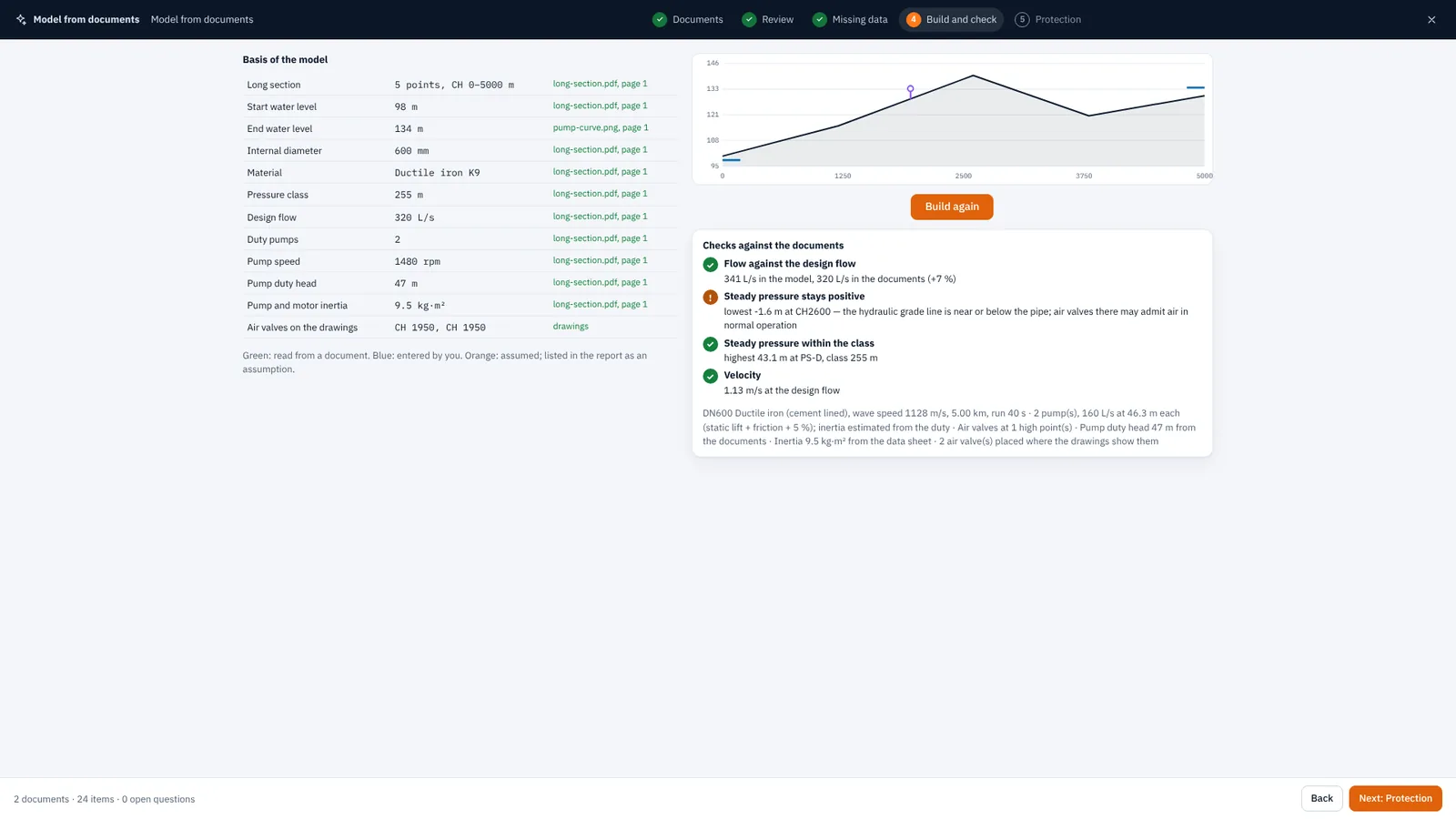
Choose a view — see it real.
These are the app's own screens, not mock-ups.
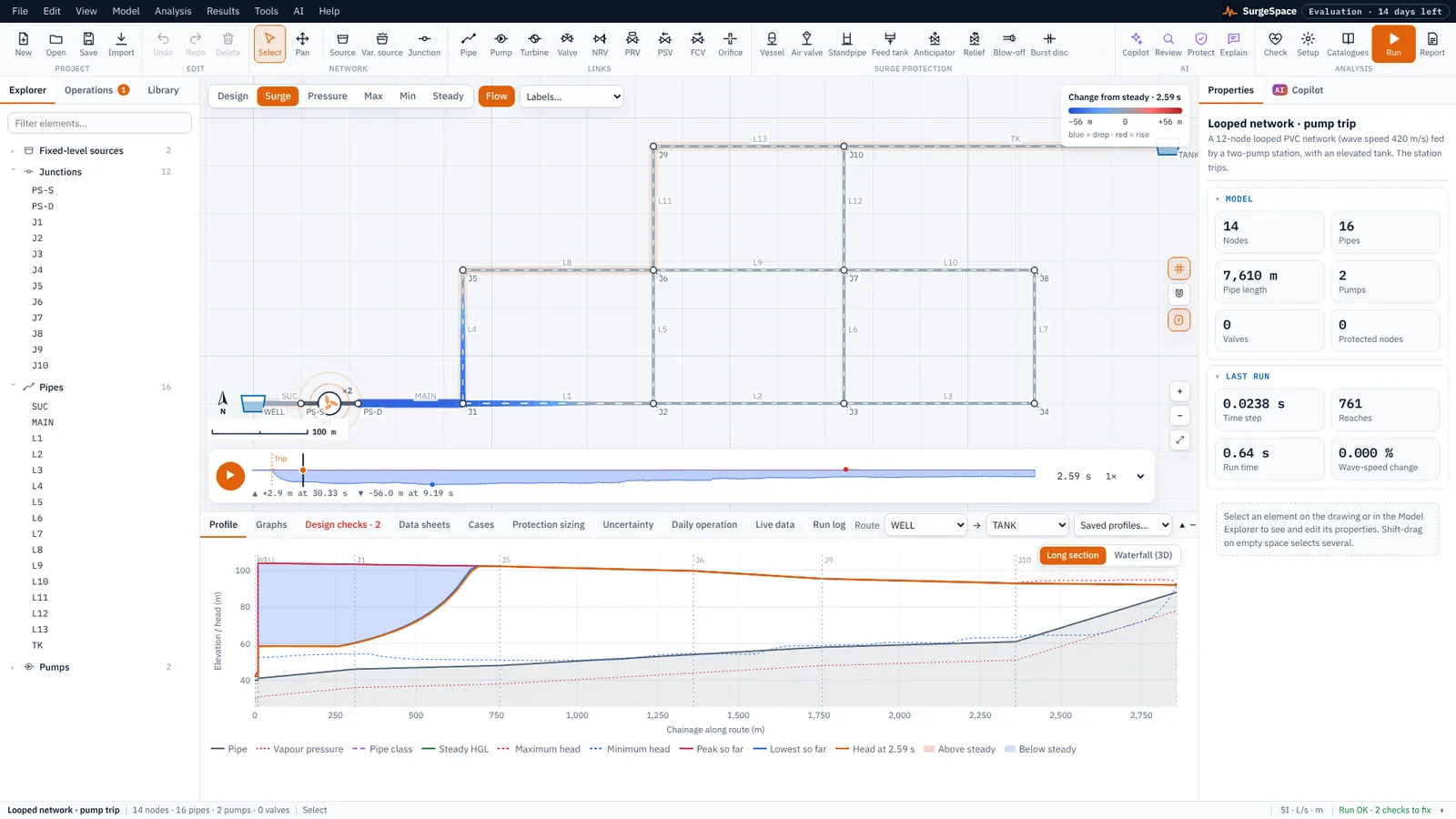
The waves, travelling.
Trip the pumps and the results sweep across the network; the waves travel and reflect in the surge view, and vapour cavities show where they form.
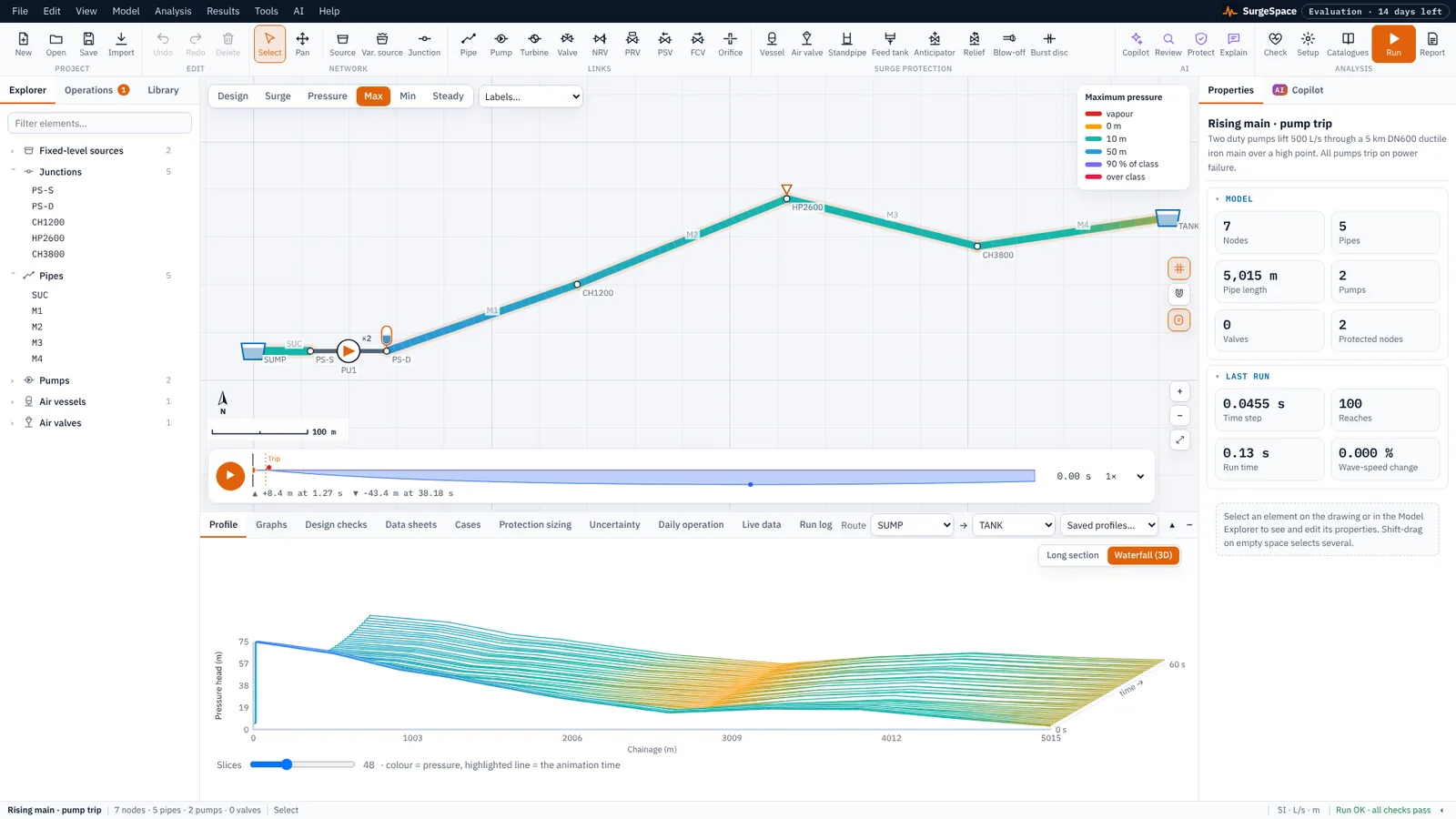
Pressure along the main, over time.
The waterfall view stacks the head along the line second by second, next to the long section with its maximum and minimum envelopes.
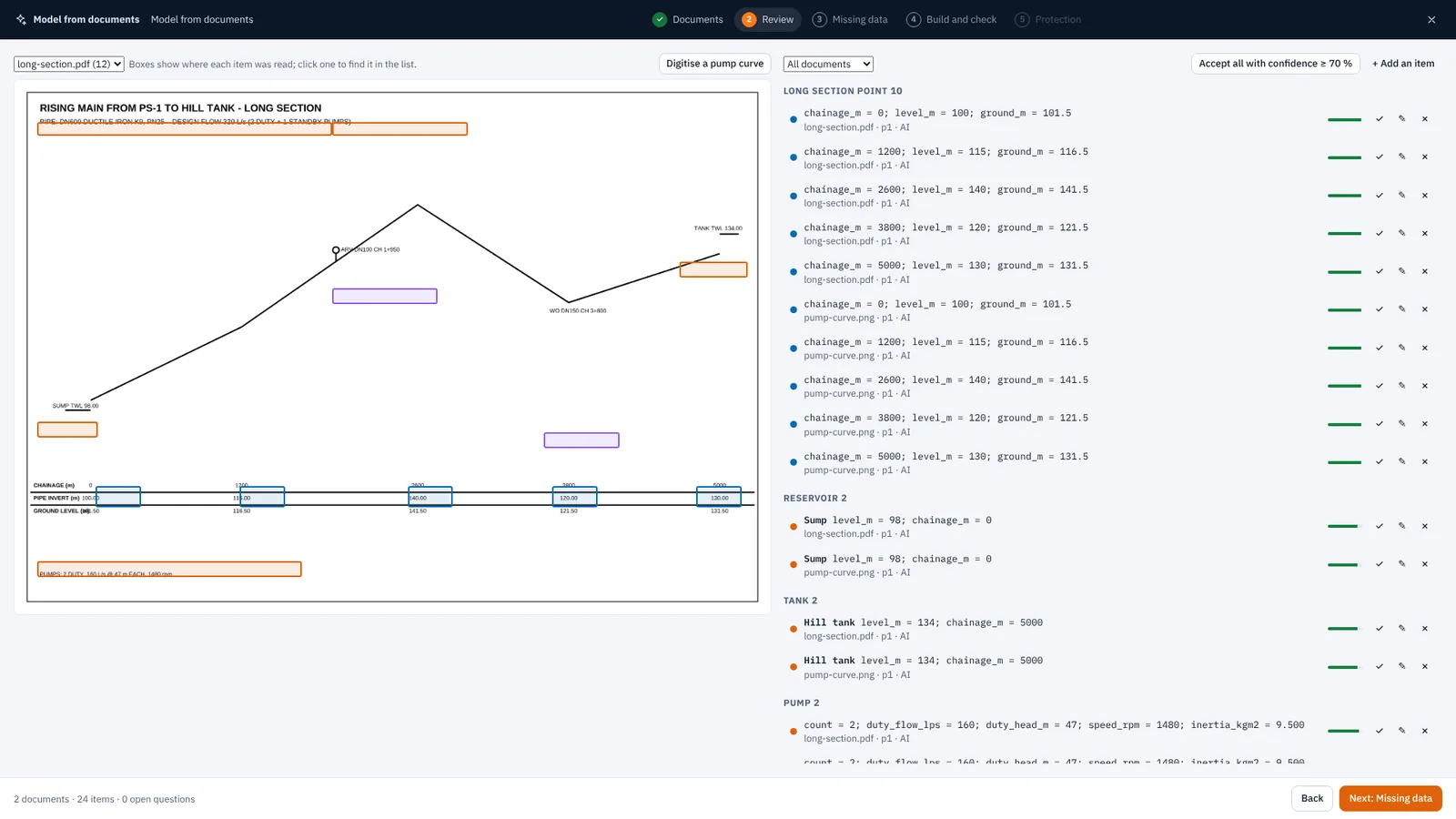
Every value, with its source.
The AI reads each page whole and in quarters, with the exact PDF text alongside. Each value it records points back to the place it was read.
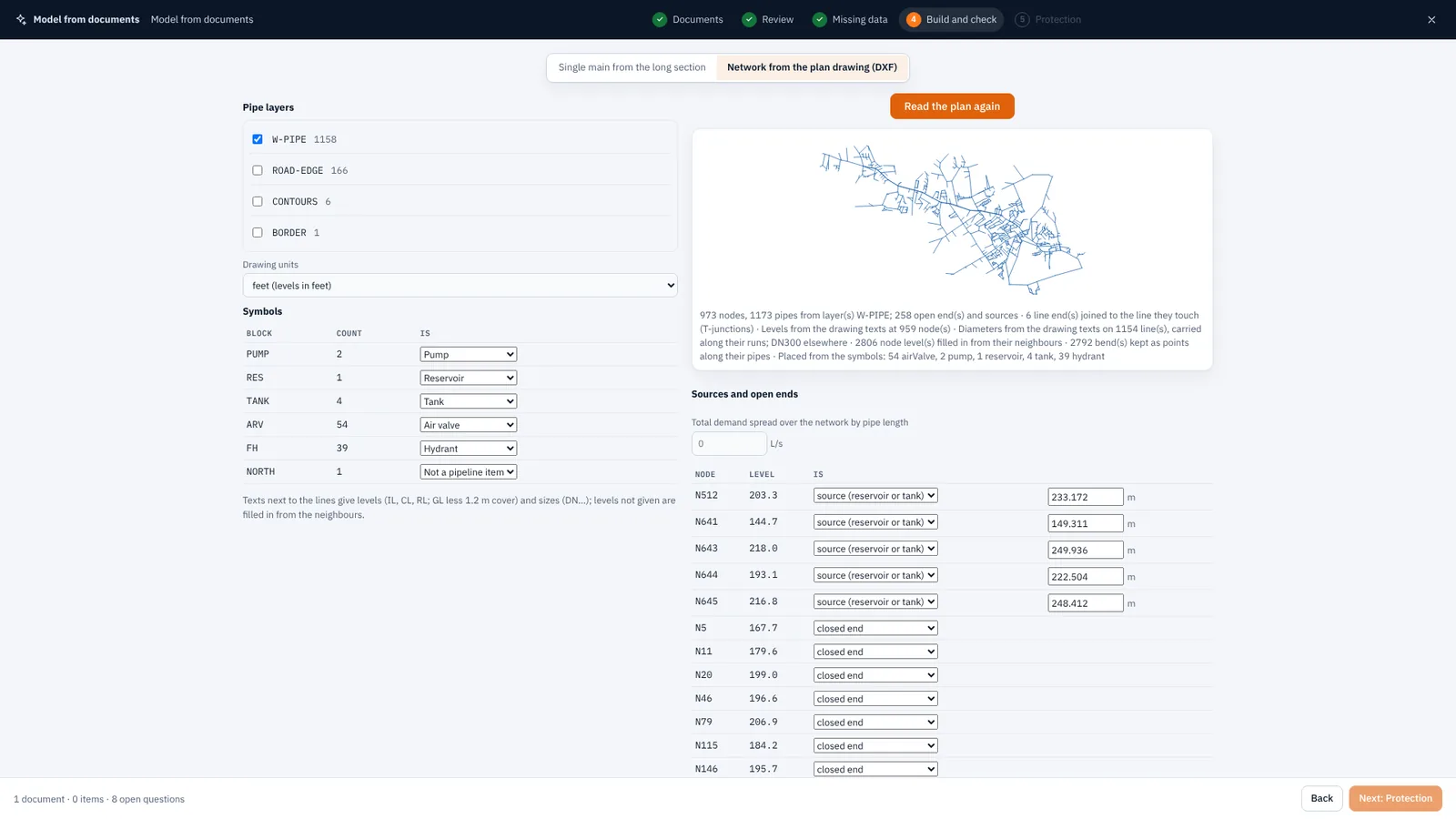
A CAD plan becomes a network.
Pipe layers become pipes with their bends; level and size texts are read and carried along; symbols become pumps, valves, air valves and tanks.
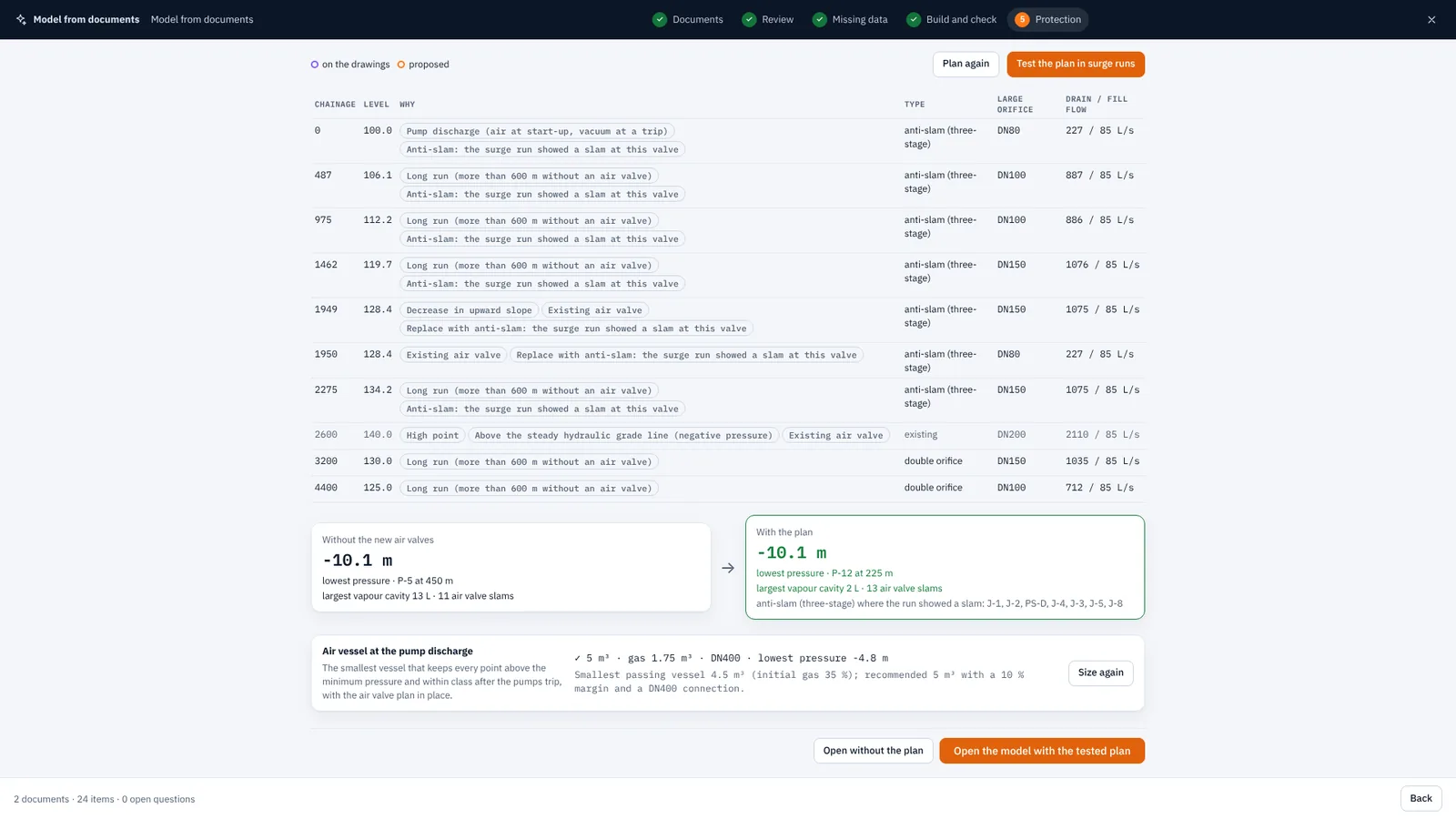
Air valves placed, sized and tested.
High points, grade changes, long runs and pump discharges by AWWA M51 practice, sized for draining and filling — then run in the surge and turned to anti-slam where they slam.
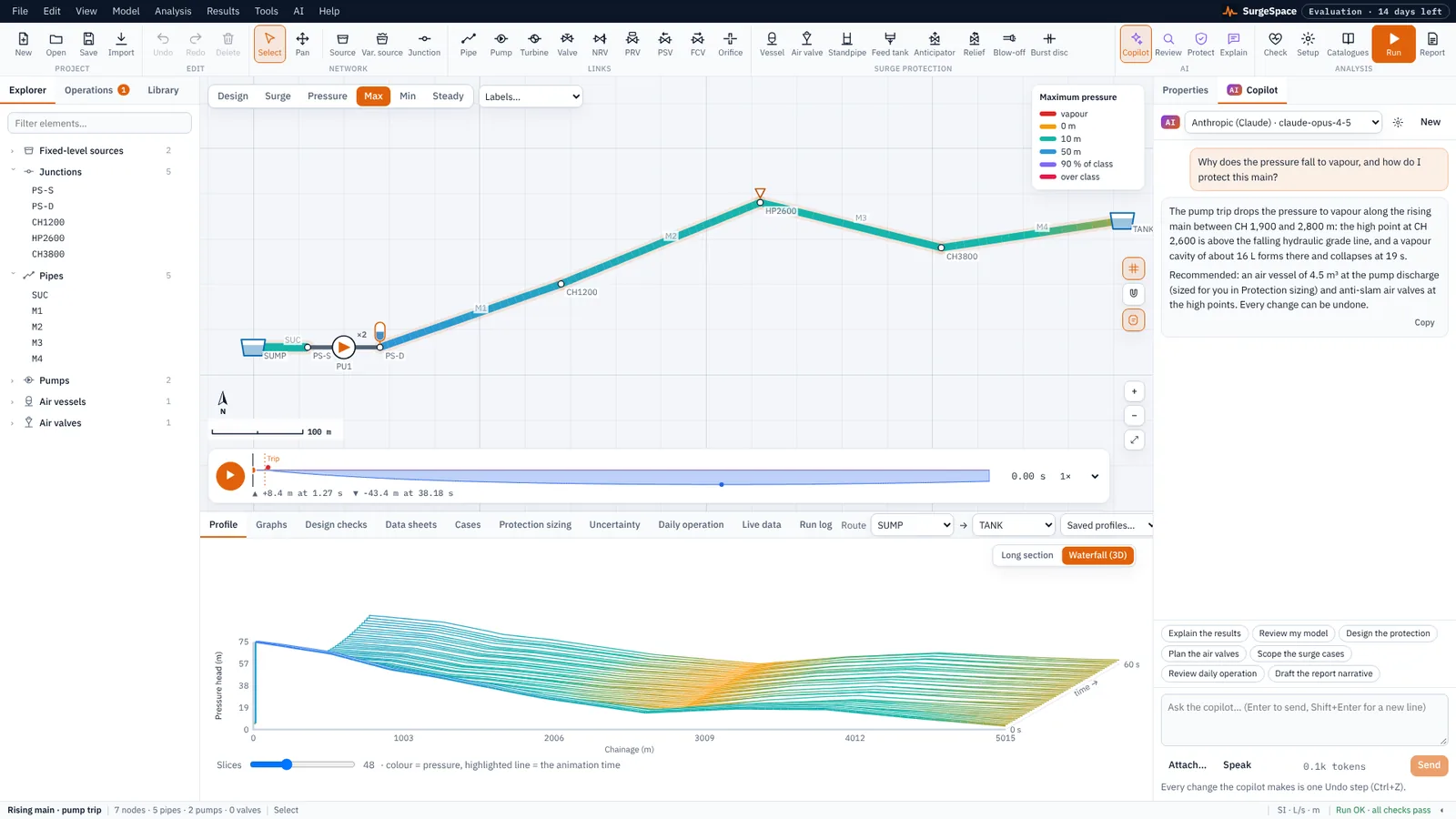
A copilot that uses the engines.
It works through the same commands you do: builds and edits the model, runs the engines and explains the results. Every change is an undo step; every number comes from the engines.
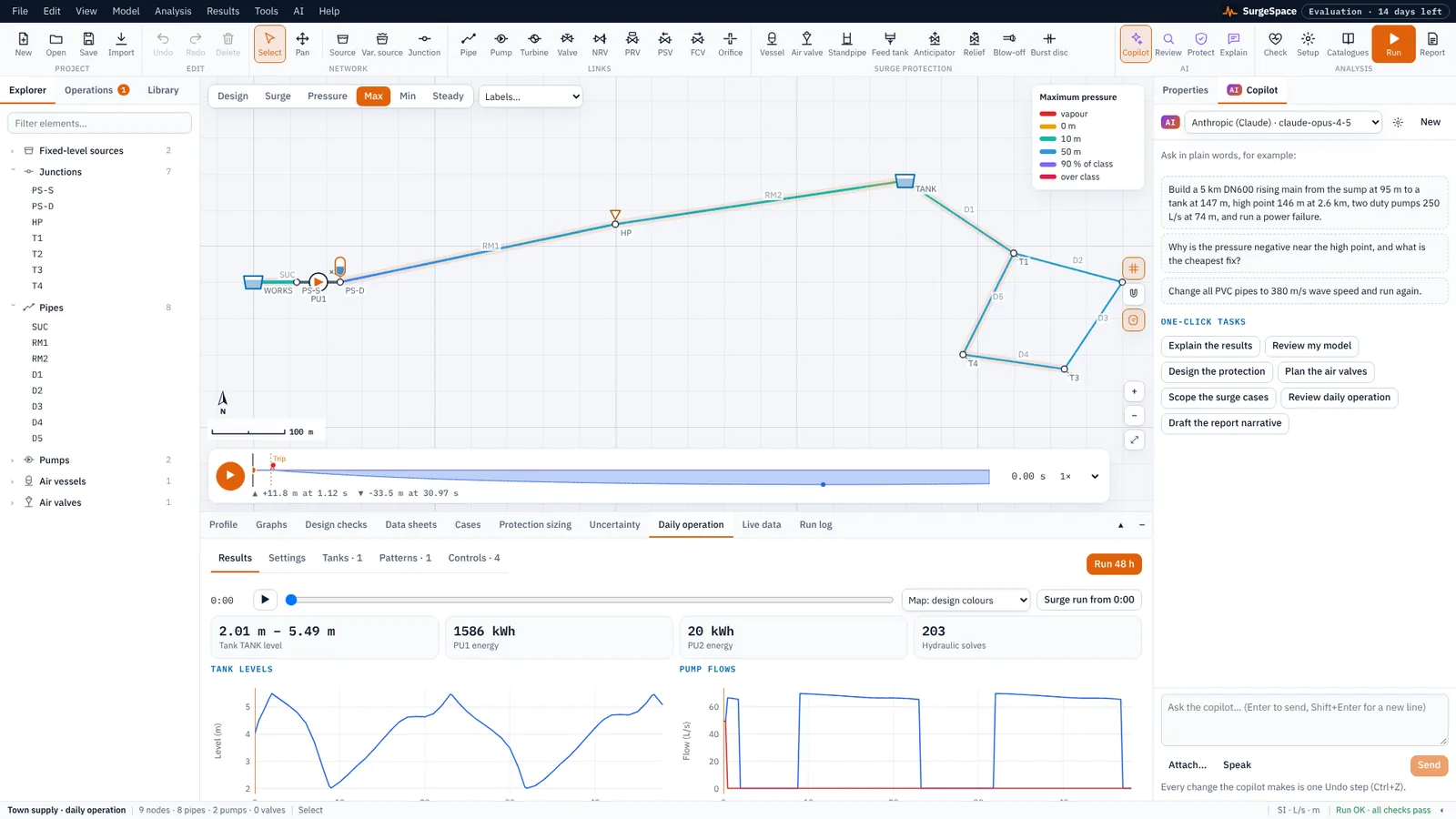
Through the day, then the worst hour.
Demand patterns, controls and rules, leakage and pressure-driven demand, tank levels, energy, water age and chlorine — then a surge run from the worst hour.
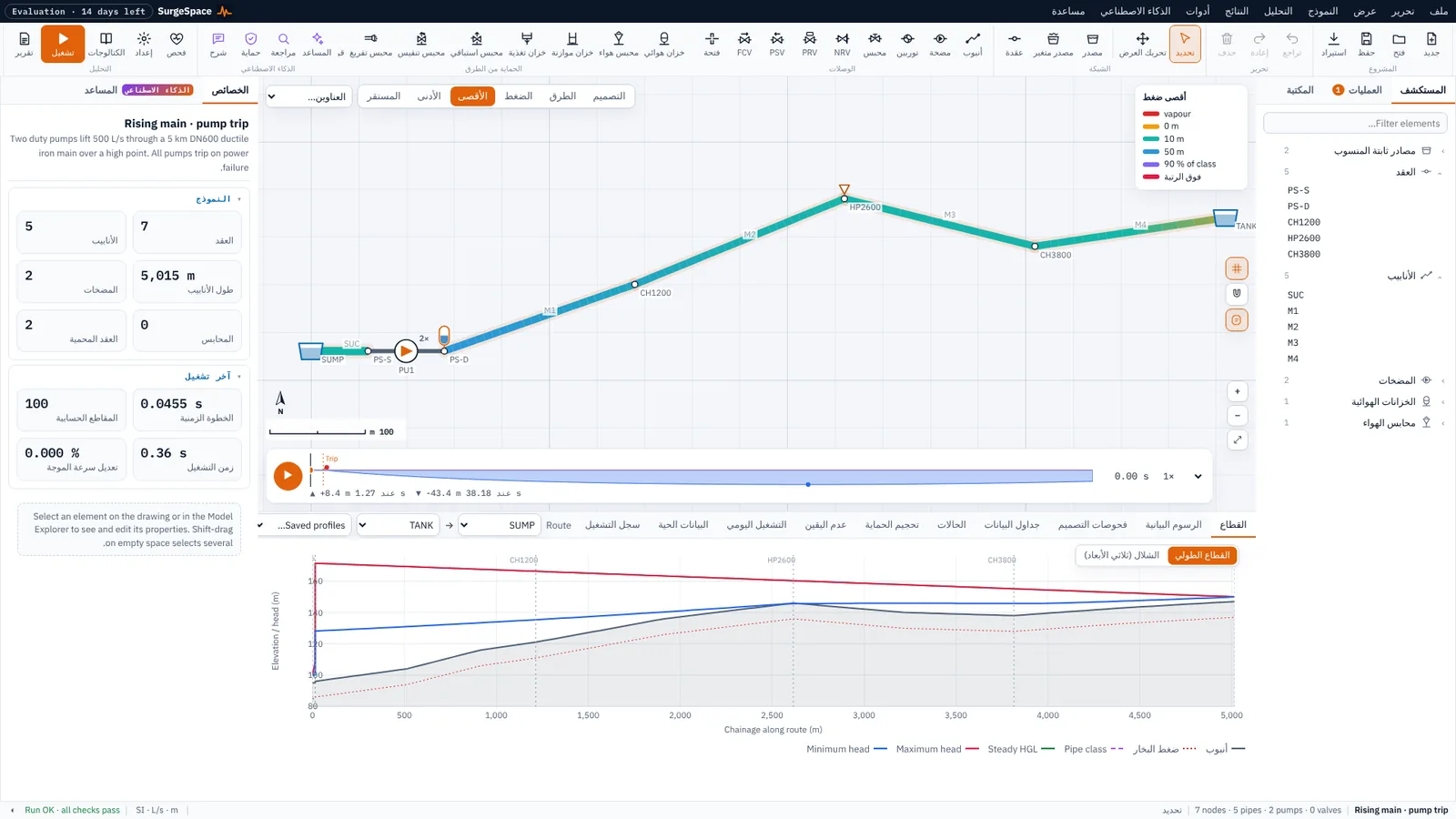
English or Arabic.
The interface, the panels and the report, right to left — with SI or US units throughout.
Every element, both engines, the protection.
Events
- Pump trip with inertia run-down, controlled stop, start-up
- Valve closure by stroke and law, or an operating curve
- Turbine load rejection with governor and overspeed
Protection
- Air vessels — bladder, dip tube, sized automatically
- Air valves: double-acting, three-stage anti-slam, vacuum breaker
- Surge tanks, feed tanks, anticipator and relief valves, burst discs
Two engines
- Wave: method of characteristics with column separation
- Rigid column for slow operations and large networks
- Daily operation and water quality, as EPANET
Results
- Long sections with envelopes, linked to the drawing
- Waterfall view, graphs of any variable, slams on the map
- A complete report with every assumption
Design
- Least-cost protection by genetic algorithm
- Checks against pipe class, minimum pressure, cavities
- Uncertainty envelopes and pipe forces for thrust blocks
Your data
- EPANET .inp, Excel and CSV, DXF and the AutoCAD plug-in
- GIS: GeoJSON, QGIS and ArcGIS Pro plug-ins, maps with terrain
- Live data over MQTT, OPC UA and Modbus
Numbers you can check.
The engines are checked against EPANET 2.2, published transient benchmarks, closed-form theory and independent solvers — and the checks run on every change to the code.
Your models stay on your computer.
Local by design
Models, drawings and results are processed and stored only on your computer. Nothing is uploaded.
Your own AI account
AI is optional. Keys are encrypted on your device and sent only to the provider you choose — or use a free model on your own computer.
Works offline
A licensed computer checks in once a day when online and keeps working up to 60 days without a connection.
Asked often.
Is SurgeSpace free?
It is free to download. The Free plan runs all the built-in examples and your own models up to 25 pipes. A 14-day evaluation unlocks everything; after that, a personal or company licence. See Plans.
Which computers does it run on?
Windows 10 (version 1809 or later) and Windows 11, 64-bit, from the Microsoft Store. A Mac version is on the way.
Do I need an AI account?
No. Everything except the AI features works without one, including reading Excel schedules, EPANET files and DXF plans. If you want the copilot and the reading of drawings, connect your own account with any of 13 providers, or a free model running on your computer.
Can I bring my EPANET models?
Yes — .inp files import with their pumps, valves (including PRV, PSV and FCV), controls, patterns and vertices, and export back again.
How do I know the results are right?
Every engine is checked against a reference — EPANET 2.2, published transient benchmarks, closed-form theory and independent ODE solutions — and the checks run on every change. The full list is on Proven, with the methods in Theory and validation.
Who makes SurgeSpace?
Engineering Workspace, the engineering software house behind engspace.app, in the Kingdom of Saudi Arabia.
Free to download from the Microsoft Store.
Start with the examples, then your own model — or your drawings.