From the drawings to a protected model — with every value traced.
The AI reads; you decide. Every value it takes from your documents is shown where it came from on the page, the engines compute every number, and every change is an undo step.
Documents
Drop drawings (PDF or images), long sections, pump data sheets, Excel schedules and DXF plans — as many as the project has.
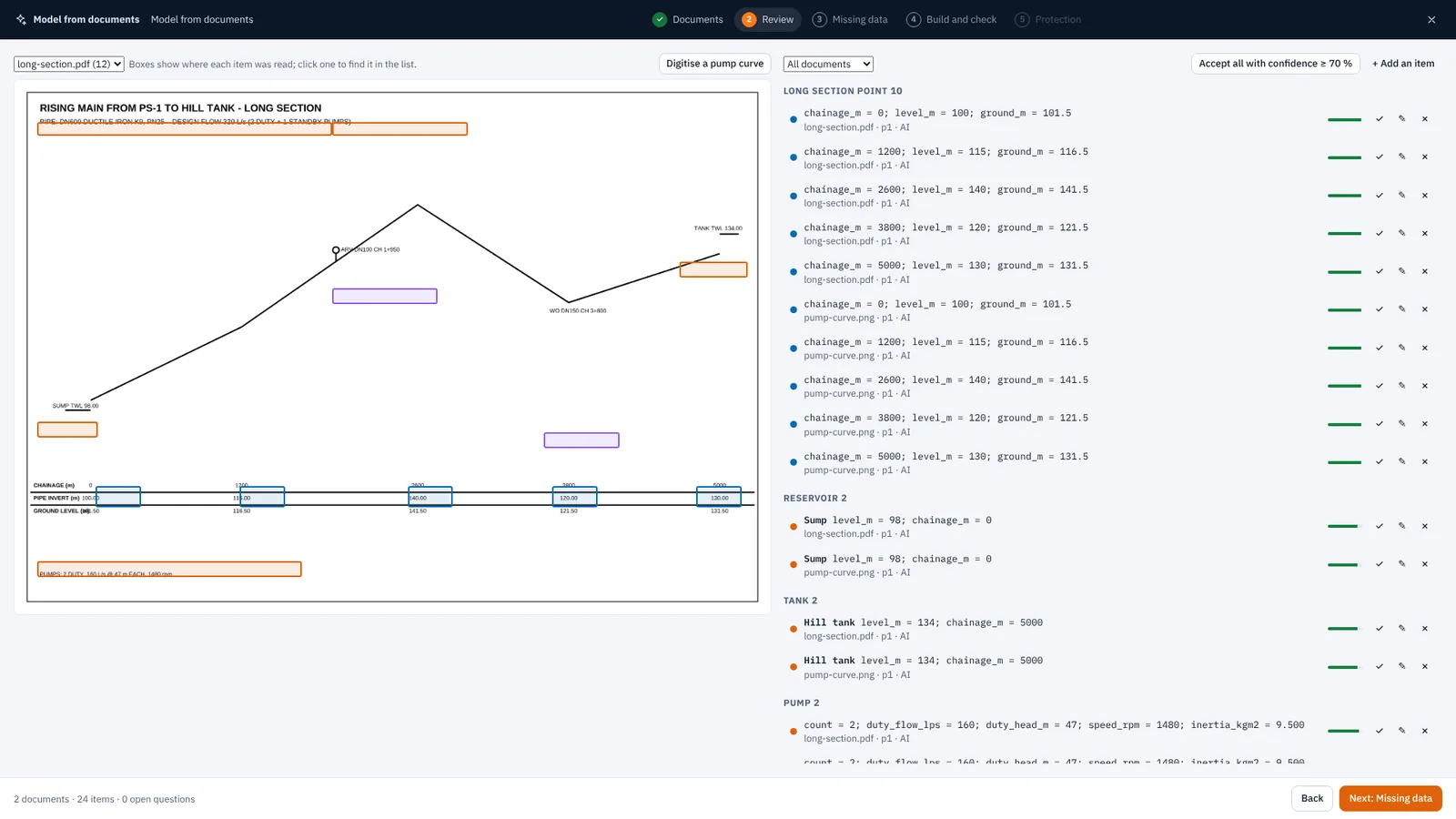
Review
Each page is read whole and in quarters, with the exact PDF text. Each value points back to its place on the page.
Missing data
What the documents do not give is asked for. Typical values, when you accept them, are listed as assumptions.
Build and check
The model is built, the steady state solved, and the result checked against the documents — duty points, levels, lengths.
Protection
Air valve plan, surge runs with anti-slam where they slam, and the air vessel sized. Then open the model.
Each kind of document, for what it knows.
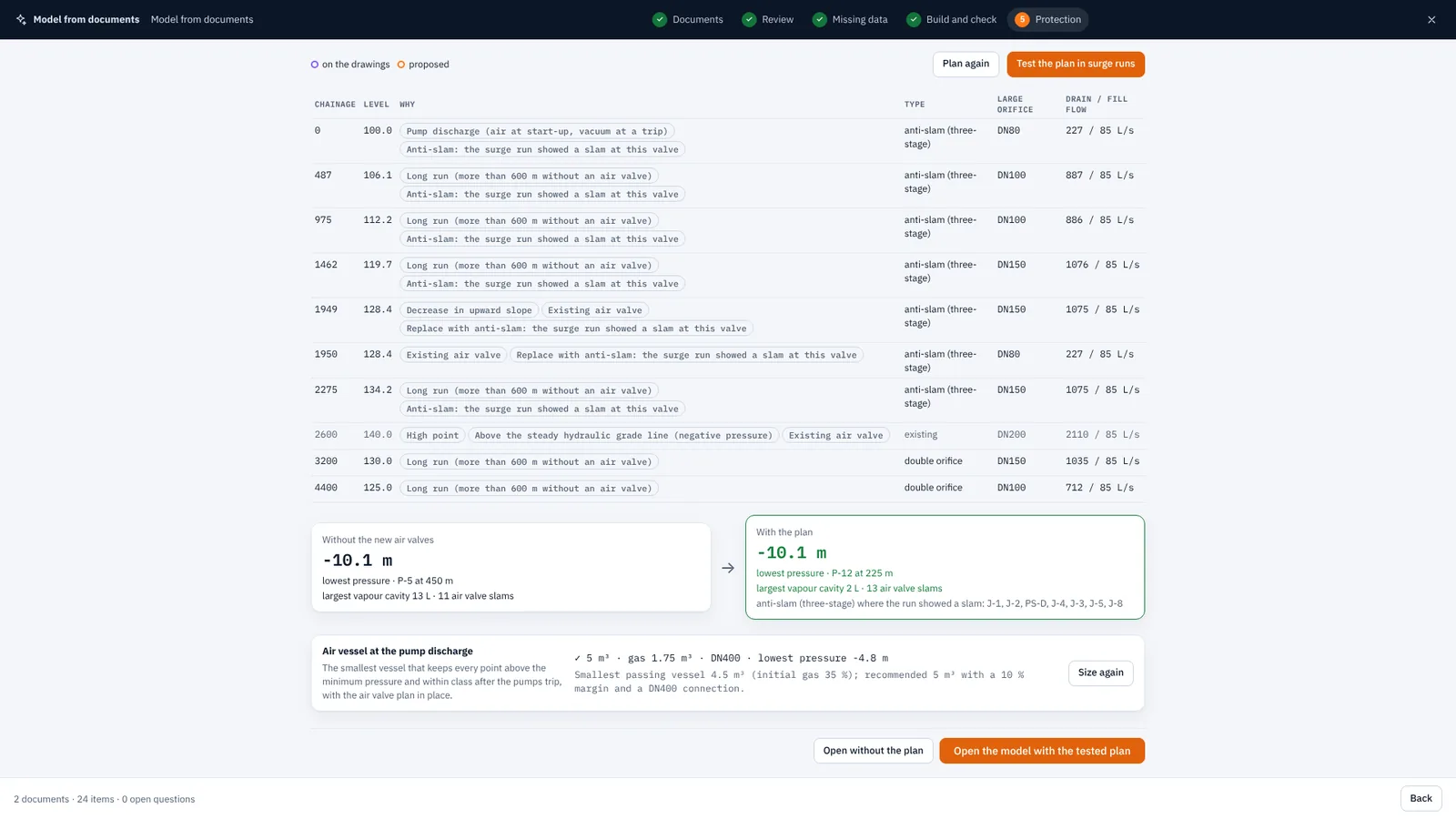
An air valve plan that has been through the surge.
Air valves at high points, grade changes, long runs and pump discharges, by AWWA M51 practice — sized for draining and filling, applied by splitting the pipes, then run in the surge. Where a valve slams, it becomes an anti-slam valve. The air vessel is then sized with the plan in place.
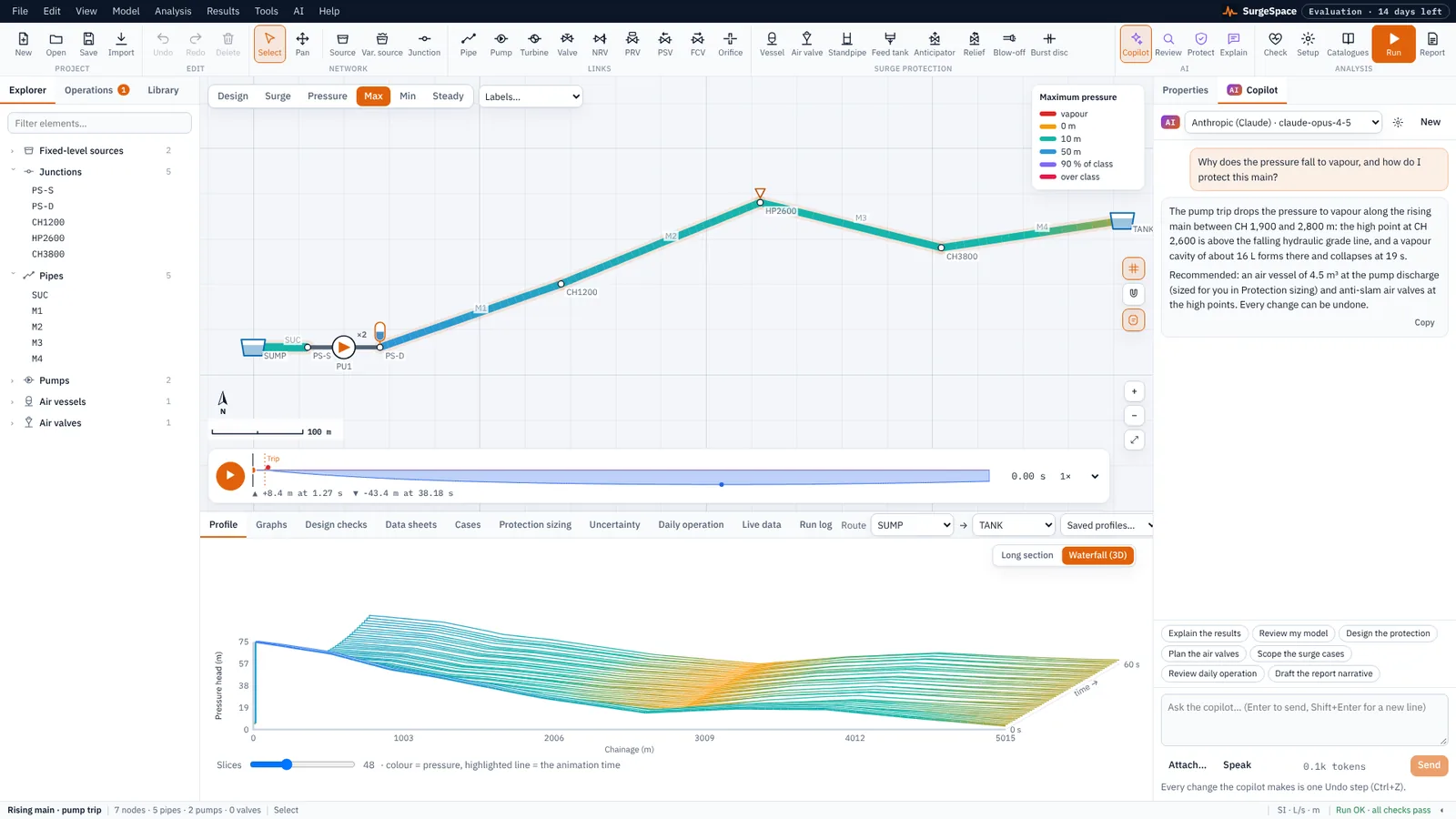
It works the model the way you do.
The copilot uses the same commands as the interface: it builds and edits the model, runs the engines and explains what they found. Every change it makes is an undo step, and every number it quotes comes from the engines.
Your provider, your keys, your bill.
AI is optional. Connect the account you already have; keys are encrypted on your device and sent only to the provider you choose. Nothing is sent until you ask.
| Provider | Reads drawings (PDF) | Notes |
|---|---|---|
| Anthropic (Claude) | Yes | Messages API |
| OpenAI | Yes | |
| Google Gemini | Yes | |
| Azure OpenAI | Yes | Your resource endpoint and deployment |
| Mistral · DeepSeek · xAI · Groq | Page images and text | |
| OpenRouter · Together AI | Page images and text | Many models through one account |
| Ollama · LM Studio | Page images and text | Free and private: runs on your own computer |
| Any OpenAI-compatible service | Page images and text | Your own endpoint |
AI usage is billed by your provider, not by us. SurgeSpace never sees your key or your documents. Privacy
Bring a drawing. See what it reads.
AI menu → Model from documents.